IPv4 Subnetting Guide: Calculate Subnets, CIDR and Host Ranges
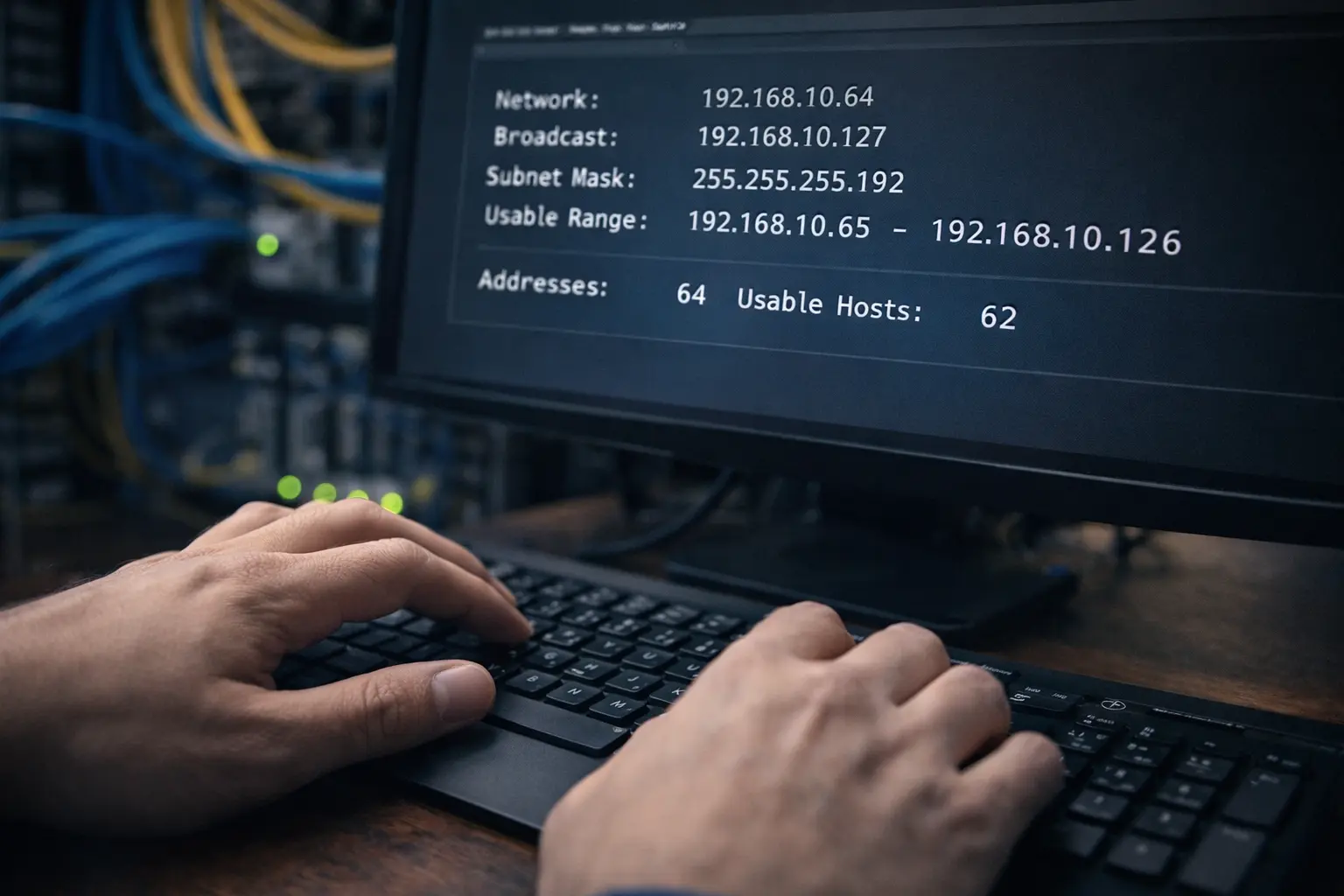
Table of Contents — IPv4 Subnetting Guide
- What subnetting is and why it matters
- CIDR notation explained
- The four numbers required from any subnet
- A rapid subnetting method (without memorisation)
- Using the Calcfort Subnet Calculator
- Worked examples: /24, /26, /27, /30, /32
- Private IP ranges and safe internal planning
- Common subnetting mistakes (and how to avoid them)
- Subnetting for real projects: VLANs, VPCs and firewall zones
- Sources and further reading
- FAQs
Subnetting is among those networking skills that can appear overly mathematical until the underlying pattern becomes apparent. Once understood, it becomes a repeatable workflow: select a prefix length, confirm how many addresses are available, identify the network and broadcast boundaries, and verify the usable host range.
This guide is practical and calculator-oriented. Subnetting is presented in the manner network engineers employ it in actual work: planning VLANs, carving address space for environments (production/development/laboratory), and avoiding overlaps that cause routing and firewall complications.
Multiple examples are provided using the Calcfort Subnet Calculator to enable validation of work and reduction of errors.
What subnetting is and why it matters
An IPv4 address comprises 32 bits. Subnetting is the process of determining which portion of those 32 bits identifies the network and which portion identifies the host.
The practical significance includes:
- Routing clarity: Routers forward packets based on the network prefix. Well-organised prefix plans reduce route-table sprawl and configuration errors.
- Security segmentation: Firewalls and Access Control Lists (ACLs) are more straightforward to manage when zones map to predictable subnets. NIST SP 800-41 Rev. 1 describes firewalls as traffic control points between networks with different security postures; segmentation decisions (including subnet boundaries) influence how these controls are implemented.
- Operations: Overlapping subnets cause troublesome issues—VPN conflicts, broken NAT rules, and intermittent connectivity problems where some protocols work while others fail.
- Scale: Classless Inter-Domain Routing (CIDR) was developed to conserve address space and limit routing-table growth.
Subnetting is not primarily about clever binary manipulation. It is about making a network predictable.
CIDR notation explained
CIDR notation takes the following form:
192.168.10.0/2410.20.0.0/16172.16.4.64/26
The number following the slash is the prefix length: the number of bits (from the left) that are fixed as the network portion. CIDR replaced the older classful model and focuses on flexible prefix lengths for efficient allocation and routing. RFC 4632 provides the current specification for CIDR.
A rapid mental translation:
/24indicates 24 network bits and 8 host bits./26indicates 26 network bits and 6 host bits./30indicates 30 network bits and 2 host bits.
Fewer host bits means fewer addresses exist within that subnet.
The four numbers required from any subnet
For any given "IP + prefix" combination, four results should be derivable:
- Network address (the first address in the block)
- Broadcast address (the last address in the block, used for IPv4 broadcast)
- Usable host range (typically network+1 through broadcast−1)
- Subnet mask (for example,
/26→255.255.255.192)
A fifth result is frequently useful:
- Total addresses and usable hosts in the block
When individuals state they find subnetting difficult, they typically mean they struggle to derive these values consistently.
A rapid subnetting method (without memorisation)
The following method can be applied to most subnetting questions without memorising extensive tables.
Step 1: compute host bits and addresses per subnet
IPv4 has 32 total bits.
- Host bits =
32 − prefix - Total addresses =
2^(host bits) - Usable hosts (typical) =
2^(host bits) − 2(Subtract network + broadcast. Note: edge cases exist such as /31 for point-to-point links, though this guide focuses on practical scenarios.)
Examples:
/24→ host bits = 8 → total = 256 → usable = 254/26→ host bits = 6 → total = 64 → usable = 62/30→ host bits = 2 → total = 4 → usable = 2
Step 2: determine the "block size" in the changing octet
Most subnet questions involve the last octet, though not exclusively. The prefix indicates where the subnet boundary occurs.
/24boundary is at the end of the third octet (255.255.255.0). The last octet is the host portion./26boundary is inside the last octet. The last octet contains some network bits and some host bits.
For common prefixes within the last octet:
/25block size = 128/26block size = 64/27block size = 32/28block size = 16/29block size = 8/30block size = 4
To obtain the block size without memorisation:
If the prefix is between /24 and /32, the host bits are within the last octet, thus:
- block size =
2^(host bits)(when subnetting occurs in the last octet)
Example: /27 → host bits in last octet = 5 → 2^5 = 32 block size.
Step 3: snap the IP to the nearest block boundary
With the block size determined, the network address can be found by taking the IP's changing octet and rounding down to a multiple of the block size.
Example: 192.168.10.70/26
/26→ block size 64- 70 rounded down to nearest multiple of 64 is 64
- Network =
192.168.10.64 - Broadcast = 64 + 63 = 127 →
192.168.10.127 - Usable hosts =
.65to.126
This "snap to block boundary" method is rapid and reliable.
Step 4: derive the subnet mask
Subnet masks map prefix length to dotted decimal form. Memorising every value is unnecessary when a calculator is available, though recognising common values is helpful:
/24→ 255.255.255.0/25→ 255.255.255.128/26→ 255.255.255.192/27→ 255.255.255.224/28→ 255.255.255.240/29→ 255.255.255.248/30→ 255.255.255.252
When working outside the last octet (such as /20), the mask changes in the third octet. A subnet calculator prevents time loss and off-by-one errors in such cases.
Using the Calcfort Subnet Calculator
Calcfort provides a dedicated Subnet Calculator that returns all required values in a single operation:
- network address
- broadcast address
- first and last usable host
- subnet mask (dotted decimal)
- number of total addresses and usable hosts
Access it here:
What to enter
Typically, the following are entered:
- an IPv4 address (for example,
192.168.10.70) - a prefix length (for example,
/26) or subnet mask (for example,255.255.255.192)
The outputs can then be reviewed and reasoning cross-checked.
Why a specialised subnet calculator is worthwhile
Subnetting errors are particularly frustrating because they often "nearly work." Pinging may succeed, but routing or firewall rules fail to match the intended network range. A dedicated calculator reduces:
- rounding errors,
- confusion about which octet changes,
- and errors when building larger address plans.
Worked examples: /24, /26, /27, /30, /32
Each example below includes the manual method and the Calcfort validation step.
Example 1: 192.168.10.70/24
Manual calculation
/24→ host bits = 8 → total 256 → usable 254- Mask = 255.255.255.0
- Network =
192.168.10.0 - Broadcast =
192.168.10.255 - Usable =
.1to.254
Validation with Calcfort
Open the Subnet Calculator and enter:
- IP:
192.168.10.70 - Prefix:
/24
Expected results:
- Network:
192.168.10.0 - Broadcast:
192.168.10.255 - Host range:
192.168.10.1 – 192.168.10.254 - Mask:
255.255.255.0
Example 2: 192.168.10.70/26
Manual calculation
/26→ host bits = 6 → total 64 → usable 62- Block size = 64
- Snap 70 down to 64 → network =
192.168.10.64 - Broadcast = 64 + 63 = 127 →
192.168.10.127 - Usable =
.65to.126 - Mask = 255.255.255.192
Validation with Calcfort
Use the Subnet Calculator with:
- IP:
192.168.10.70 - Prefix:
/26
Expected outputs:
- Network:
192.168.10.64 - Broadcast:
192.168.10.127 - Host range:
192.168.10.65 – 192.168.10.126 - Total addresses: 64; usable hosts: 62
Example 3: 10.20.5.200/27
Manual calculation
/27→ host bits = 5 → total 32 → usable 30- Block size = 32
- Snap 200 down to nearest multiple of 32:
- 32×6 = 192, 32×7 = 224 → 200 is in the 192–223 block
- Network =
10.20.5.192 - Broadcast =
10.20.5.223 - Usable =
.193to.222 - Mask = 255.255.255.224
Validation with Calcfort
Enter into the Subnet Calculator:
- IP:
10.20.5.200 - Prefix:
/27
The same boundaries should be returned.
Example 4: /30 for point-to-point links: 172.16.4.9/30
In laboratory and enterprise networks, /30 is common for point-to-point links because it provides 2 usable host IPs.
Manual calculation
/30→ host bits = 2 → total 4 → usable 2- Block size = 4
- Snap 9 down to nearest multiple of 4 → 8
- Network =
172.16.4.8 - Broadcast =
172.16.4.11 - Usable =
.9and.10 - Mask = 255.255.255.252
Validation with Calcfort
Use the Subnet Calculator:
- IP:
172.16.4.9 - Prefix:
/30
Example 5: /32 for a single host route: 203.0.113.7/32
A /32 represents one specific IPv4 address. In routing, this is employed as a "host route" (often for loopbacks, NAT targets, or specific policy routes).
Manual calculation
/32→ host bits = 0 → total 1- Network = the IP itself
- No conventional "usable range" exists beyond that single address
- Mask = 255.255.255.255
Validation with Calcfort
Enter:
- IP:
203.0.113.7 - Prefix:
/32
A single-address block should be displayed.
Private IP ranges and safe internal planning
Most internal networks employ RFC 1918 private address space:
10.0.0.0/8172.16.0.0/12192.168.0.0/16
These ranges are reserved for private internets and are not routed on the public Internet.
The significance for subnet planning:
- Internal addressing can be designed without coordination with a public registry (provided NAT and routing boundaries are understood).
- Overlaps across connected networks (VPNs, mergers, multi-site environments) must still be avoided. Private does not equate to "conflict-free."
Practical planning guidance: reserve by function, not by "who requested first"
A reliable pattern involves reserving address blocks by function:
10.10.0.0/16= corporate user VLANs10.20.0.0/16= servers10.30.0.0/16= laboratory / testing10.40.0.0/16= DMZ / edge services
Subnetting within those blocks using /24 or /26 depends on host requirements and expected growth.
CIDR was introduced to enable this type of flexible aggregation rather than rigid classful assignments.
Common subnetting mistakes (and how to avoid them)
Mistake 1: confusing "number of addresses" with "usable hosts"
A /26 has 64 total addresses but typically 62 usable hosts because the network and broadcast addresses are reserved in IPv4.
Resolution: Always compute both totals, or use the Calcfort subnet calculator output and reference the usable host count.
Mistake 2: assuming every subnet boundary occurs at .0, .64, .128, .192
That pattern is only valid for certain block sizes in the last octet. If the prefix changes in the third octet (such as /20), the boundaries differ.
Resolution: Identify which octet changes. If the prefix is less than /24, the boundary is not solely in the last octet.
Mistake 3: mixing subnet masks and prefix lengths incorrectly
For example, writing /26 but using 255.255.255.224 (which is actually /27).
Resolution: Use the calculator to convert between prefix and mask when writing documentation or firewall rules.
Mistake 4: overlapping subnets across sites
This is the primary cause of VPN complications. Two sites both select 192.168.1.0/24 because "it is the default," then connectivity between them cannot be routed cleanly.
Resolution: Use an address plan. Reserve blocks by site or function and document them.
Mistake 5: forgetting that firewall rules match ranges, not intentions
NIST's firewall guidance emphasises policy, configuration and periodic review because rule sets affect both security and business operations. If the subnet plan is disorganised, the firewall policy becomes disorganised as well.
Resolution: Tie firewall zones to clean subnets and maintain mapping stability.
Subnetting for real projects: VLANs, VPCs and firewall zones
Subnetting becomes more straightforward when connected to the actual design questions being addressed.
Use case 1: VLAN design in an office network
Consider the following requirements:
- 120 staff devices (peak)
- 40 guest devices (peak)
- 30 printers/IoT devices
- room for growth
A practical allocation:
- Staff VLAN:
/25(126 usable hosts) - Guest VLAN:
/26(62 usable hosts) - IoT VLAN:
/27(30 usable hosts)
If a larger container such as 10.10.0.0/24 is reserved for the entire site, it can be carved into these subnets without overlapping.
Validate each subnet and host range with the Subnet Calculator to ensure boundaries do not collide.
Use case 2: Cloud VPC planning
Cloud platforms commonly request a VPC/VNet CIDR such as 10.0.0.0/16 and then multiple subnets for:
- public subnets,
- private application subnets,
- database subnets,
- and management subnets.
Common practice involves:
- keeping public subnets small (because only a few resources require public IPs),
- separating database subnets for security,
- and reserving ample free space for future expansion.
CIDR enables hierarchical allocation where routes can be summarised cleanly.
Use case 3: Firewall zone segmentation
If zones are implemented:
10.20.10.0/24= application servers10.20.20.0/24= databases10.20.30.0/24= administration tools
Firewall rules can then be expressed as clear allow/deny policies between those ranges.
This directly supports the "differing security postures" concept in firewall guidance: the objective is to make it apparent which traffic is permitted across zone boundaries.
Sources and further reading
- IETF RFC 4632 — Classless Inter-domain Routing (CIDR): https://datatracker.ietf.org/doc/html/rfc4632
- IETF RFC 1918 — Address Allocation for Private Internets (private address ranges): https://datatracker.ietf.org/doc/html/rfc1918
- Cisco — CIDR prefix explanation and examples (operational reference): https://www.cisco.com/c/en/us/support/docs/ip/routing-information-protocol-rip/13788-3.html
- NIST SP 800-41 Rev. 1 — Guidelines on Firewalls and Firewall Policy (security posture and firewall policy context): https://csrc.nist.gov/pubs/sp/800/41/r1/final
FAQs
What is the most efficient approach to subnetting?
The "block size + snap to boundary" method is recommended:
- compute block size (addresses per subnet),
- round the changing octet down to a multiple of that block size,
- compute broadcast as network + block size − 1,
- host range is between those values.
Then validate with the Subnet Calculator.
Is a /30 always optimal for point-to-point links?
It is common because it provides 2 usable host addresses, though some networks employ /31 for point-to-point to conserve addresses (where supported). For learning and documentation purposes, /30 remains the most straightforward and widely understood.
Why do private IP ranges exist?
RFC 1918 defines private address space so organisations can operate internal networks without using globally unique public IPv4 addresses, helping to delay IPv4 exhaustion.
What is the difference between CIDR and subnet masks?
CIDR uses a prefix length (for example, /26). A subnet mask is the dotted-decimal equivalent (255.255.255.192). They represent the same concept: how many bits are network bits.
CIDR's broader objective is efficient allocation and limiting routing-table growth.
How can overlapping subnets be avoided when connecting networks?
A documented address plan should be employed. Reserve larger blocks by site or function, then allocate smaller subnets from those blocks. Avoid default ranges that other networks probably use (such as 192.168.1.0/24) if VPNs or mergers are anticipated.
Can a subnet calculator replace understanding subnetting?
It can replace tedious arithmetic and reduce errors, though understanding facilitates better network design and faster troubleshooting. The optimal workflow is: reason → calculate → validate.